3 Ways Spoken Helps You Find the Word You’re Looking For
Knowing what you want to say doesn’t always mean you can find the right words for it. Difficulty recalling words is common for people with conditions that affect language, such as anomic aphasia. You may know what an object is, understand what it does, and be able to picture it clearly, but still struggle to remember what it’s called.
Spoken is an augmentative and alternative communication (AAC) app designed to help people who have difficulty speaking communicate more easily. It lets you build messages using predictive text, saved phrases, and other tools that make finding and expressing the right words easier. Once your message is ready, Spoken can read it aloud in a natural-sounding voice.
But Spoken isn’t just a way to turn text into speech. It also provides several ways to find a word when it won’t come to you.
Here are three features that can help.
1. Find a Word With Predictive Text
Sometimes you can’t remember one particular word, but you know everything you want to say around it. With Spoken, that might be all you need to get to the right word. That’s thanks to Spoken’s predictive text, which suggests words as you build a sentence. Instead of having to recall the missing word completely on your own, you can enter the parts of the thought you do remember and look through the suggestions that appear.
Imagine you’re trying to say something about a visit to the doctor. The word “appointment” is on the tip of your tongue, but it just won’t come to you. All you need to do is begin typing “I have a doctor’s” and Spoken should suggest the word you’re looking for. If typing is challenging for you, you can even tap full words to get there.

Many predictions also come with an icon representing the word’s meaning. These visual cues can make words easier to recognize, particularly for people who have difficulty reading or processing written language.
Word predictions in Spoken become more relevant to you over time. The app learns from the vocabulary you use and surfaces those words more readily in the future.
Predictions can also adjust to where you are. In addition to its everyday predictions, Spoken has specialized contexts for medical settings, eating, shopping, and school. If you’re at a hospital or doctor’s office, for example, medical terms become more likely to appear among your first suggestions. At a restaurant, predictions related to food and eating can get a similar boost. This helps put vocabulary that fits the situation closer at hand without limiting you to a preset collection of words.

2. Search for a Word With an Emoji
Sometimes you can picture exactly what you mean, even when you can’t remember the word for it. That’s where emoji input can help.
Whenever you enter an emoji in Spoken, the app suggests related words, essentially letting you search for vocabulary using pictures instead of text.
Imagine you’re trying to remember the word “cactus.” You know exactly what a cactus looks like and can even recognize 🌵, but the word itself just won’t come to mind. Enter the emoji and Spoken will immediately give you the right word. The suggestions aren’t limited to the literal name of the emoji, either. An emoji can help you explore related ideas, which makes the feature useful when you know the general concept you want to communicate but haven’t found the exact word yet. For example, 🌵 will also give you “desert” and “prickly.”
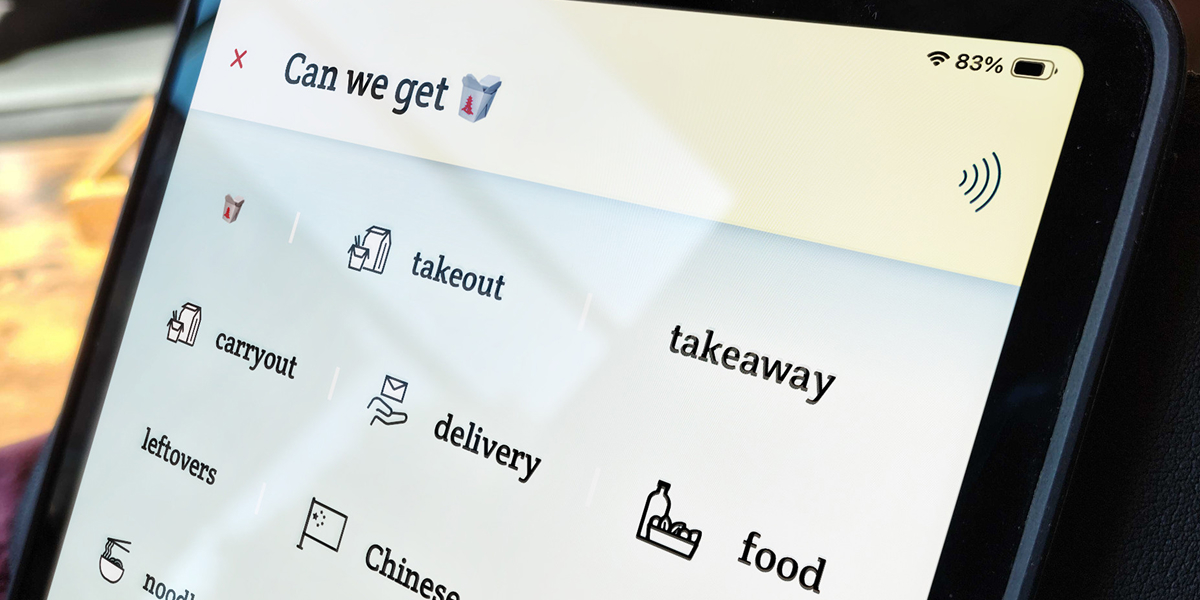
You can still use emojis normally, too. The original emoji remains available as the first suggestion, or you can simply ignore the suggested words and continue typing.
3. Turn a Drawing Into Words
What if you can visualize something, but you can’t find a suitable emoji? Just draw it!
Spoken’s drawing canvas can recognize simple sketches and suggest words based on what it thinks you drew. You don’t need to be an artist — the recognition system was trained using rough drawings made by ordinary people, so quick and imperfect sketches are exactly what it was designed to understand.
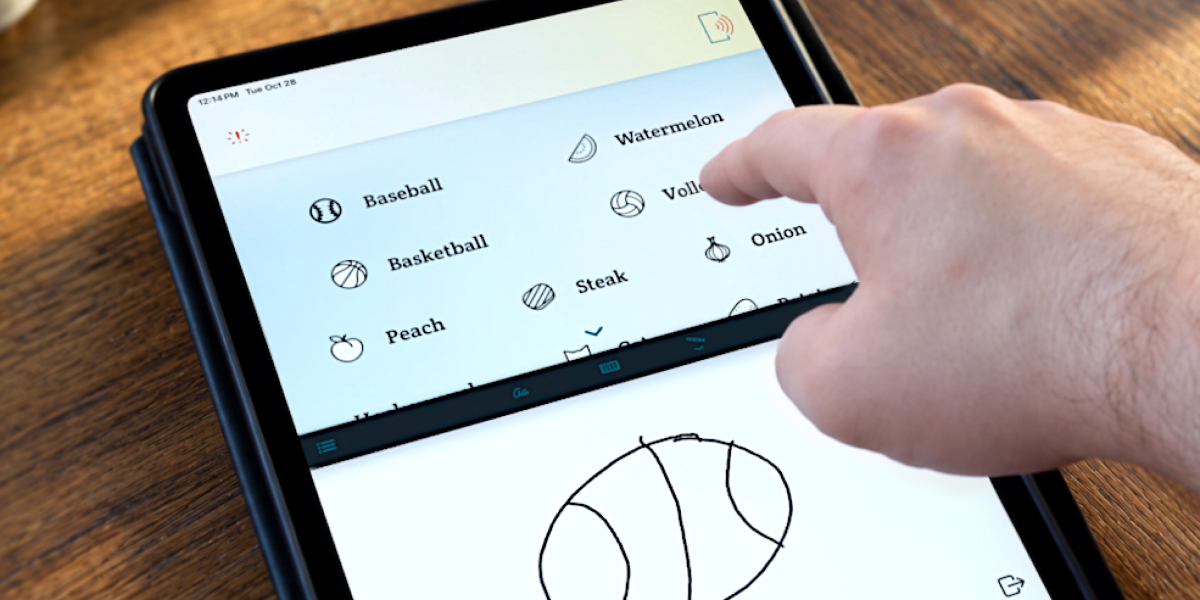
As you draw, Spoken updates its guesses in real time, displaying them in the same area as normal word predictions and ranking them by confidence. Once you’re finished, you can look through the results for the word that matches what you meant.
More Than One Way to Find a Word
Finding the right word isn’t always straightforward, and what helps in one situation might not help in another. That’s why Spoken gives you several ways to approach the problem. You can use these features individually or combine them as you build a message, making it easier to express yourself without relying entirely on memory.
If you or someone you know experiences word-finding difficulties, give Spoken a try. It’s free to download, so you can explore these features for yourself and see how they might help make everyday communication easier.

About Spoken
Spoken is an app that helps people with aphasia, nonverbal autism, and other speech and language disorders.